Standalone Activities - Python SDK
Temporal Python SDK support for Standalone Activities is at Pre-release.
All APIs are experimental and may be subject to backwards-incompatible changes.
Standalone Activities are Activity Executions that run independently, without being orchestrated by a Workflow. Instead of starting an Activity from within a Workflow Definition, you start a Standalone Activity directly from a Temporal Client.
The way you write the Activity Definition and register it with a Worker is identical to Workflow Activities. The only difference is that you execute a Standalone Activity directly from your Temporal Client.
This page covers the following:
- Run the Temporal Development Server with Standalone Activities enabled
- Run a worker with the activity registered
- Execute a Standalone Activity
- Start a Standalone Activity without waiting for the result
- Get a handle to an existing Standalone Activity
- Wait for the result of a Standalone Activity
- List Standalone Activities
- Count Standalone Activities
This documentation uses source code derived from the Python sample.
Run the Temporal Development Server with Standalone Activities enabled
Prerequisites:
-
Install the latest Temporal CLI
🚧 Please build from development branch: https://github.com/temporalio/cli/tree/release/v1.6.x-standalone-activity
The first step in running a Standalone Activity involves starting a Temporal server.
temporal server start-dev
This command automatically starts the Temporal development server with the Web UI, and creates the default Namespace.
It uses an in-memory database, so do not use it for real use cases.
The Temporal Server will now be available for client connections on localhost:7233, and the
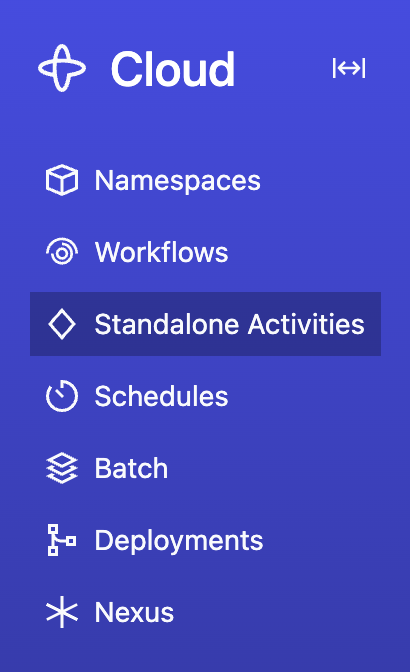
Temporal Web UI will now be accessible at http://localhost:8233. Standalone
Activities are available from the nav bar item located towards the top left of the page:
Write an Activity Function
An Activity Definition in the Temporal Python SDK is just a normal function with the
@activity.defn decorator. It can optionally be an async def. The way you write a Standalone
Activity is identical to how you write an Activity to be orchestrated by a Workflow. In fact, an
Activity can be executed both as a Standalone Activity and as a Workflow Activity.
To see this code in a working example, see the Standalone Activity sample.
# my_activity.py
from dataclasses import dataclass

from temporalio import activity


@dataclass
class ComposeGreetingInput:
    greeting: str
    name: str


@activity.defn
async def compose_greeting(input: ComposeGreetingInput) -> str:
    activity.logger.info("Running activity with parameter %s" % input)
    return f"{input.greeting}, {input.name}!"
Run a Worker with the Activity registered
Running a Worker for Standalone Activities is the same as running a Worker for Workflow Activities — you create a Worker, register the Activity, and run the Worker. The Worker doesn't need to know whether the Activity will be invoked from a Workflow or as a Standalone Activity. See How to run a Worker for more details on Worker setup and configuration options.
To see this code in a working example, see the Standalone Activity sample.
import asyncio

from my_activity import compose_greeting
from temporalio.client import Client
from temporalio.worker import Worker


async def main():
    client = await Client.connect("localhost:7233")
    worker = Worker(
        client,
        task_queue="hello-standalone-activity-task-queue",
        activities=[compose_greeting],
    )
    await worker.run()


if __name__ == "__main__":
    asyncio.run(main())
Execute a Standalone Activity
Use
client.execute_activity()
to execute a Standalone Activity. Call this from your application code, not from inside a Workflow
Definition. This durably enqueues your Standalone Activity in the Temporal Server, waits for it to
be executed on your Worker, and then fetches the result:
import asyncio
from datetime import timedelta

from temporalio.client import Client

from my_activity import ComposeGreetingInput, compose_greeting


async def my_application():
    client = await Client.connect("localhost:7233")

    result = await client.execute_activity(
        compose_greeting,
        args=[ComposeGreetingInput("Hello", "World")],
        id="my-standalone-activity-id",
        task_queue="hello-standalone-activity-task-queue",
        start_to_close_timeout=timedelta(seconds=10),
    )
    print(f"Activity result: {result}")


if __name__ == "__main__":
    asyncio.run(my_application())
Start a Standalone Activity without waiting for the result
Starting a Standalone Activity means sending a request to the Temporal Server to durably enqueue your Activity job, without waiting for it to be executed by your Worker.
Use
client.start_activity()
to start your Standalone Activity and get a handle:
activity_handle = await client.start_activity(
    compose_greeting,
    args=[ComposeGreetingInput("Hello", "World")],
    id="my-standalone-activity-id",
    task_queue="hello-standalone-activity-task-queue",
    start_to_close_timeout=timedelta(seconds=10),
)
You can also use client.get_activity_handle() to create a handle to a previously started Standalone Activity:
activity_handle = client.get_activity_handle(
    activity_id="my-standalone-activity-id",
    run_id="the-run-id",
)
You can now use the handle to wait for the result, describe, cancel, or terminate the Activity.
Wait for the result of a Standalone Activity
Under the hood, calling client.execute_activity() is the same as calling
client.start_activity()
to durably enqueue the Standalone Activity, and then calling await activity_handle.result() to
wait for the activity to be executed and fetch the result:
activity_result = await activity_handle.result()
List Standalone Activities
Use
client.list_activities()
to list Standalone Activity Executions that match a List Filter query. The result is
an async iterator that yields ActivityExecution entries:
import asyncio

from temporalio.client import Client


async def my_application():
    client = await Client.connect("localhost:7233")

    activities = client.list_activities(
        query="TaskQueue = 'my-task-queue'",
    )

    async for info in activities:
        print(
            f"ActivityID: {info.activity_id}, Type: {info.activity_type}, Status: {info.status}"
        )


if __name__ == "__main__":
    asyncio.run(my_application())
The query parameter accepts the same List Filter syntax used for Workflow Visibility. For example, "ActivityType = 'MyActivity' AND Status = 'Running'".
Count Standalone Activities
Use client.count_activities() to count
Standalone Activity Executions that match a List Filter query.
import asyncio

from temporalio.client import Client


async def my_application():
    client = await Client.connect("localhost:7233")

    resp = await client.count_activities(
        query="TaskQueue = 'my-task-queue'",
    )

    print("Total activities:", resp.count)

    for group in resp.groups:
        print(f"Group {group.group_values}: {group.count}")


if __name__ == "__main__":
    asyncio.run(my_application())